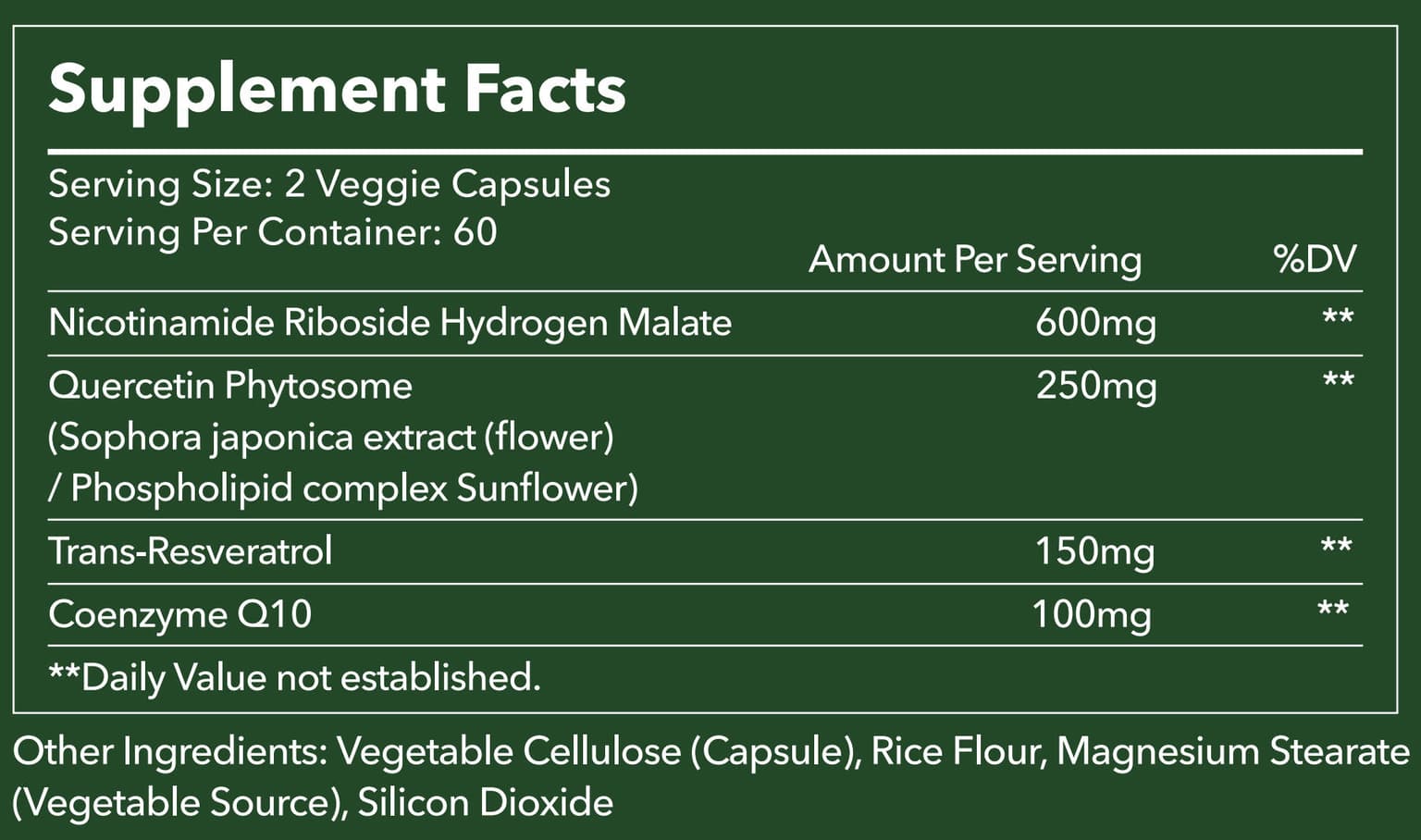
Start with the Supplement Facts panel—not the largest number on the front of the bottle. Confirm the serving size, amount of the named NR or NMN ingredient per serving, servings per container, supporting ingredients, directions, warnings, and other ingredients. Then check whether the product page describes those same facts consistently.
A six-step label check
- Find the serving size and do not confuse a per-serving amount with a per-capsule amount.
- Confirm the exact ingredient name rather than relying only on NAD+ category language.
- Read the amount for every listed dietary ingredient.
- Compare servings per container with the number of capsules in the bottle.
- Review other ingredients, directions, storage instructions, and warnings.
- Use the physical package as the final source before taking the product.
Front-label numbers need context
A prominent milligram number may refer to one ingredient, a blend, or the total of several ingredients. The Supplement Facts panel explains which interpretation applies. If a website summary and the package appear inconsistent, pause and ask the seller for clarification.
Count and serving are different
A 120-capsule bottle does not necessarily provide 120 servings. If the serving size is two capsules, the bottle provides 60 servings. This distinction affects price-per-serving comparisons and reorder timing.
What the label cannot decide for you
A complete label helps you compare products, but it cannot determine whether a supplement is suitable for your medical history or medications. A healthcare professional can help assess those questions. Report serious adverse events using the contact information on the label and the FDA reporting channels.
Applying the checklist to ZenUP
ZenUP product pages reproduce the available formula and package information for comparison. Bottle sizes, prices, and supporting ingredients should be checked against the physical label delivered with the order before use.